Productive Usage
Technically, abap2UI5 is just an HTTP handler implementation — use it like any other HTTP service in production.
Stable Version
The project evolves all the time, so there's no fixed "stable" version. But we keep changes to the public APIs minimal to avoid frequent app refactoring. Pin to a release instead of tracking the main branch, and update regularly to keep refactoring effort low.
Apps embedded with the embed control load their frontend from the backend, so an upgrade reaches all of them with the same transport - see Fiori Elements Integration.
Quality Assurance
Every commit to the framework runs through CI before it reaches a release:
- Builds and static checks against NW 7.02, Standard ABAP, and ABAP Cloud — one workflow per release line, so compatibility across the supported stacks is verified continuously, not per release
- Unit tests executed on every commit via open-abap, plus automated browser tests of the running framework
- The sample catalogs double as a regression corpus: over 700 apps that are validated against the framework
Monitoring
Whether abap2UI5 is used, fast and safely configured is what the Monitoring page covers: a monitor interface the framework calls after every roundtrip, and the Admin Cockpit add-on with a security traffic light that works without any logging. From abap2UI5 1.147.0 on.
Renaming
If you're starting new development but already have abap2UI5 apps in production and want to avoid update risk, install multiple instances of abap2UI5 with the renaming feature. This lets you keep developing safely without disrupting your existing production apps.
Transport
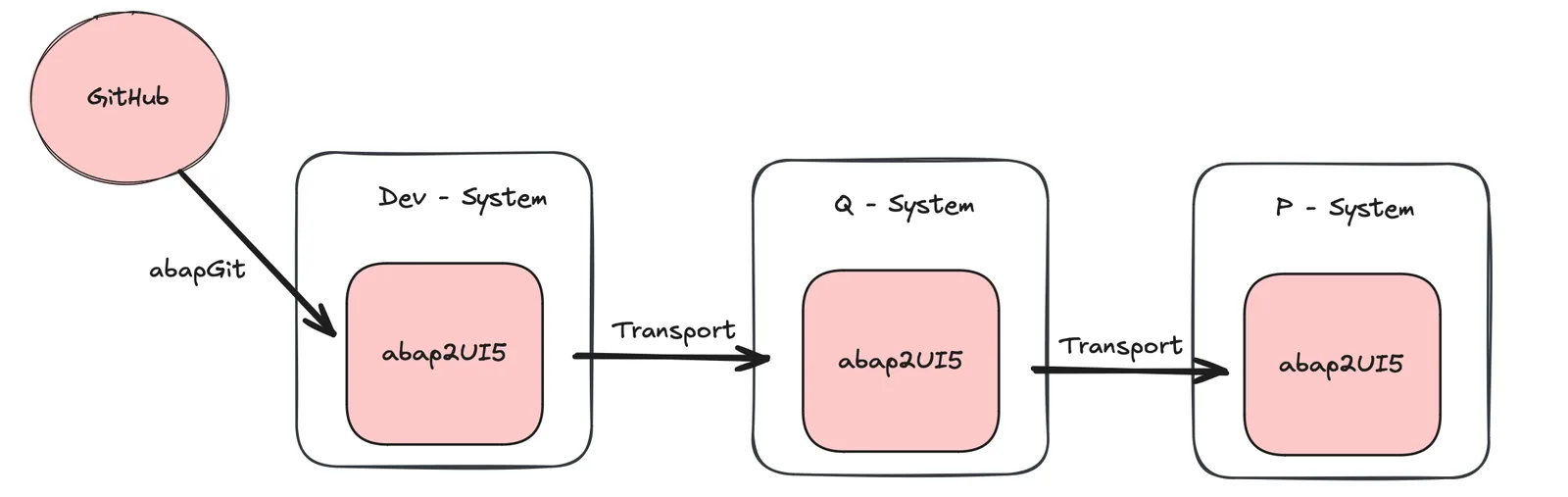
Transport abap2UI5 to production like any other ABAP project.
For a smooth rollout, follow these steps:
- Transport the abap2UI5 HTTP service and the framework first.
- Activate the HTTP service explicitly if needed, and adjust the UI5 bootstrap source if production should use a different UI5 version or delivery channel.
- Test the "Hello World" app to confirm abap2UI5 works as expected.
- Finally, transport your own apps.
Install the project via abapGit on your development system. Then use the standard transport process to deploy to production: