
Hello World
Copy this class into your system:
Open the abap2UI5 startup page in your browser — the page the
Quickstart ends on — enter the class
name ZCL_APP_HELLO_WORLD in the input field, and launch it.
That is a complete abap2UI5 app: one class, one method, no frontend project and no OData service.
Starting an App by URL
The startup page is a convenience around a URL parameter you will use from now
on. ?app_start=<class> appended to your service URL starts that app directly:
https://<host>:<port>/sap/bc/<your_service>?app_start=zcl_app_hello_worldThat is the form a browser bookmark, a Launchpad tile and every sample
catalog use — the sample pages all say "start it with ?app_start=<class>"
and mean exactly this.
If launching reports Class ZCL_APP_HELLO_WORLD does not exist or does not implement z2ui5_if_app, the framework could not instantiate the class: a typo
in the name, the class is not activated yet, or INTERFACES z2ui5_if_app is
missing. Anything that goes wrong after this point —
an app that renders empty, a binding that does not update, an error view on a
roundtrip — is cataloged with symptom, cause and fix in
Common Failures.
Naming
Name your own apps in your customer namespace (Z.../Y...). The Z2UI5_
prefix is reserved for the framework and its samples.
A Real Screen, an Event and Data Exchange
A message box is not an app. This second class is still one class, and it has everything a real one has — a view, data traveling both ways, and an event:
CLASS zcl_app_hello_screen DEFINITION PUBLIC.
  PUBLIC SECTION.
    INTERFACES z2ui5_if_app.
    DATA name TYPE string.

  PROTECTED SECTION.
  PRIVATE SECTION.
ENDCLASS.

CLASS zcl_app_hello_screen IMPLEMENTATION.
  METHOD z2ui5_if_app~main.

    IF client->check_on_navigated( ).

      name = `World`.

      DATA(view) = z2ui5_cl_ui5_view_builder=>factory(
          )->ele( n = `View` ns = `mvc`
              )->a( n = `xmlns`     v = `sap.m`
              )->a( n = `xmlns:mvc` v = `sap.ui.core.mvc`

              )->ele( `Shell`
                  )->ele( `Page`
                      )->a( n = `title` v = `abap2UI5 - Hello World`

                      )->tag( `Input`
                          )->a( n = `value` v = client->_bind( name )
                      )->tag( `Button`
                          )->a( n = `text`  v = `Say Hello`
                          )->a( n = `press` v = client->_event( `SAY_HELLO` ) ).

      client->view_display( view->stringify( ) ).

    ELSEIF client->check_on_event( `SAY_HELLO` ).

      client->message_toast_display( |Hello { name }!| ).

    ENDIF.

  ENDMETHOD.
ENDCLASS.Type a name, press the button, and the toast greets it. Three things are happening, and none of them needed any code you had to write yourself:
- the view is a UI5 XML view, built in ABAP with
z2ui5_cl_ui5_view_builder client->_bind( name )ties the input to the public attribute, so what the user types is innameon the next roundtripclient->_event( )sends the button press back tomain, andcheck_on_event( )catches it
Jump into the Code
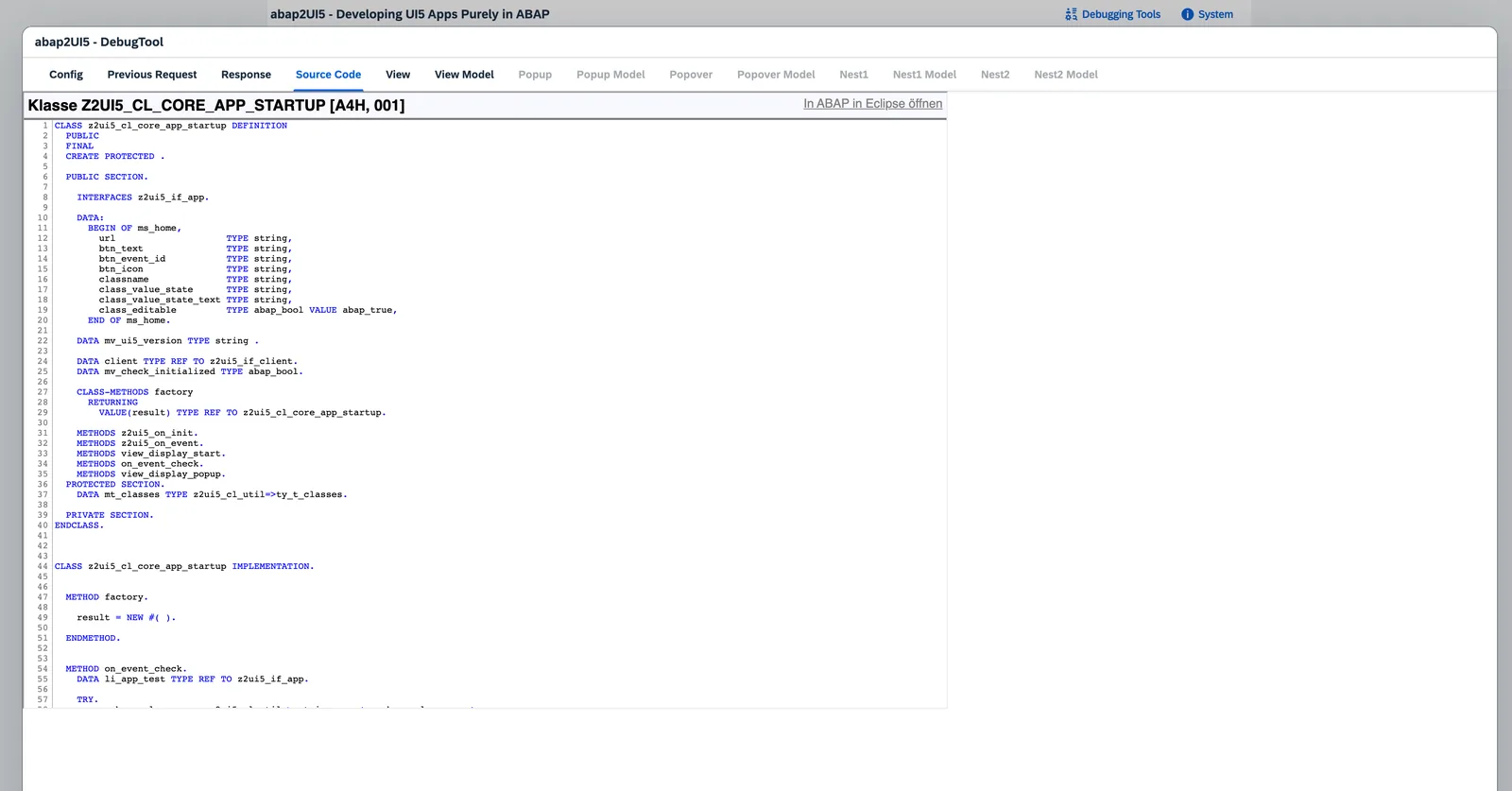
Press Ctrl+F12 in any running app to open the Developer Tools — the
problems, every roundtrip with its request and response, the rendered view XML
and the model data of each slot. It is the first place to look when
something does not render the way you expected:
Where Next
Want all of that explained rather than just shown? The Tutorial takes these two classes apart and grows them into a complete app, one concept per step — views, events, binding, lists, tables, a selection screen and popups. Every step is a complete class you can run in the browser.
From there, pick the direction that fits:
- Read an app that already does it. The sample catalog holds over 700 working apps from three repositories, every one with its ABAP printed in full and — where it needs no system — a button that runs it in your browser. Start on Learn, the path from the smallest app that runs to files, devices and custom CSS.
- Look a pattern up. The Cookbook is the reference for everyday work — views, events, binding, tables, popups, navigation.
- Set up the tools. Optional, and worth the ten minutes: the tooling around the framework, and Developing with AI if an assistant writes some of it.
- Go live. Security, performance, the launchpad and the transport are under Configuration; Productive Usage is the page to read before the first go-live.
- See who runs it. Who Uses abap2UI5? lists ready-to-use apps, real-world scenarios and companies already running on it; the add-ons cover what not every app needs.
- Need somebody's approval? Evaluate abap2UI5 is the page for the person who decides whether it may be used: when to use it and when RAP, what the organization keeps, what it costs, and the objections a review board raises. Send the link rather than the argument.
Working Samples
Complete apps from the sample catalog
that use what this page describes. Each is a single class in abap2UI5/samples
unless its row names another of the three sample repositories — pull that repository with
abapGit and start the class with ?app_start=<class>.
| Sample | Class |
|---|---|
| Basics I — Hello World, the Smallest App | Z2UI5_CL_SMP_APP_493 |