 abap2UI5
 Modern UI5 apps, built by the team you already have
abap2UI5 turns your ABAP developers into UI5 app builders - no JavaScript, no extra platform, no license fee. Faster to build, cheaper to run and freer to leave than any other UI5 solution on the market, commercial ones included.
Nothing to install, no trial license, no sales call — the playground runs in your browser.
- 0 €license fees - now and later, for any number of users
- 1 classper app - no frontend project, no extra platform
- Minutesto a first screen, built by the ABAP team you have
- 7.02 → Cloudevery SAP release, from one source
- 100 % yoursopen source, no vendor, no lock-in
What you can build
One framework for every process that needs a screen
From the warehouse floor to the management cockpit: whatever runs in SAP today on paper, in Excel or in SAP GUI becomes a modern app - built in your own system, by your own team.
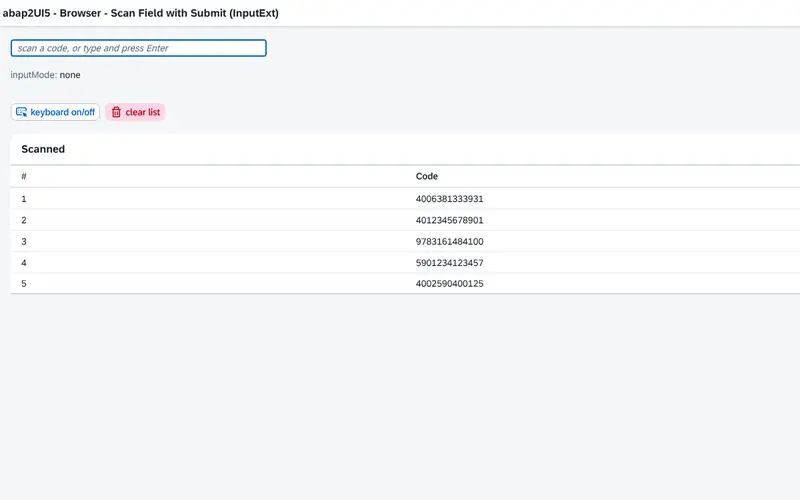
Warehouse & logistics
Goods receipt, picking, stock transfers and inventory counts on scanners, handhelds and tablets - in the browser, with the barcode scanner and camera of the device.
See the example app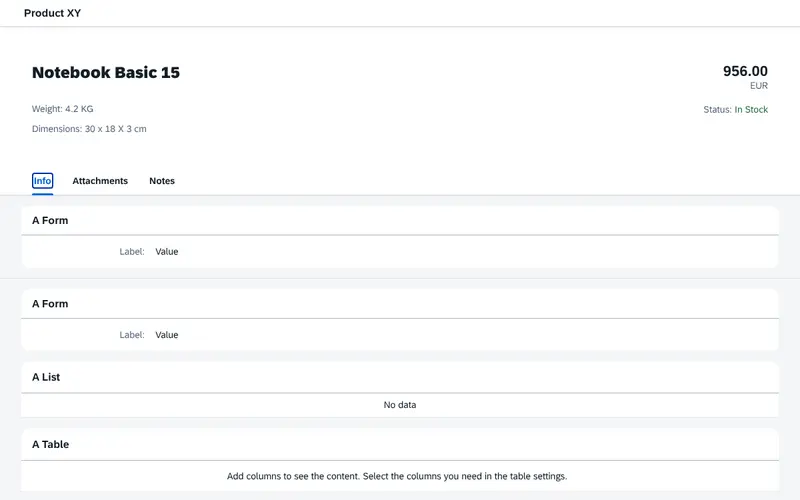
Maintenance & service
Work orders, notifications and checklists for technicians, on the desktop in the workshop or on the phone at the machine.
See the example app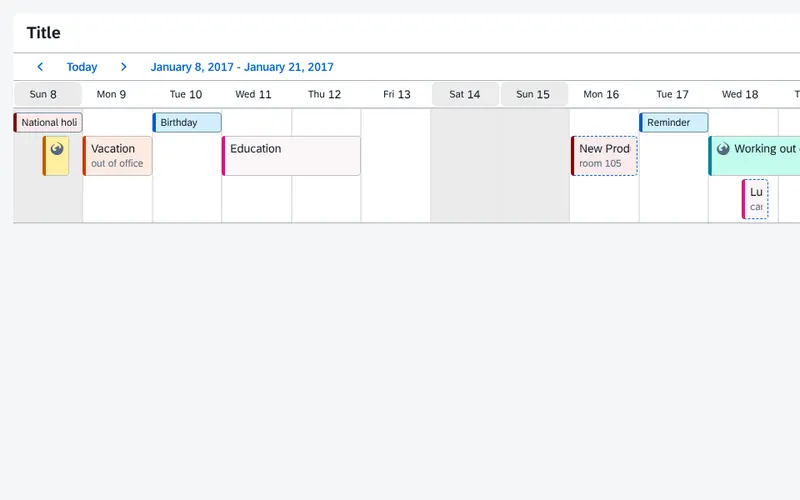
Production & shop floor
Confirmations, quality inspections, shift plans and the special processes the standard never covered - right where the work happens.
See the example app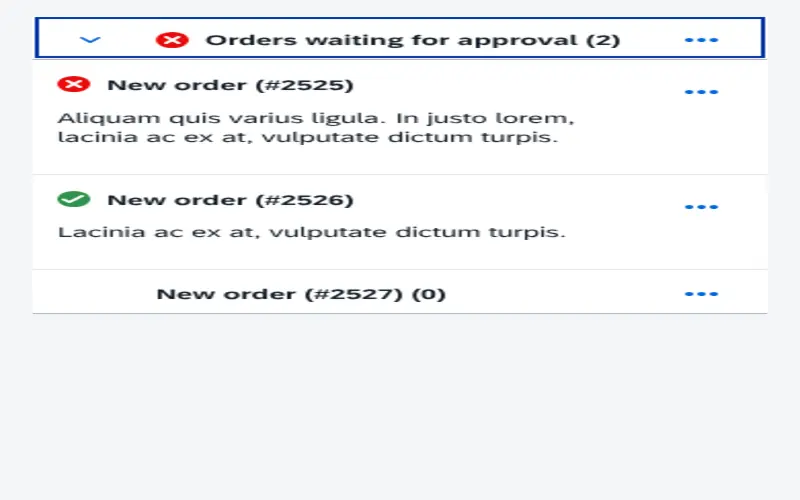
Approvals & workflows
Purchase requisitions, invoices, leave and master-data requests: approve in one click, in the launchpad, in Teams or on the phone.
See the example app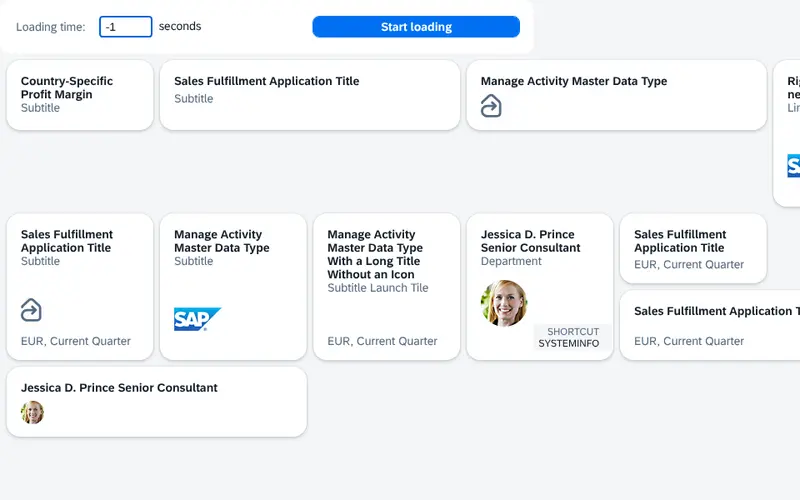
Cockpits & dashboards
KPIs, charts and monitors for one team or one process, live from SAP - no data warehouse, no extra BI tool.
See the example app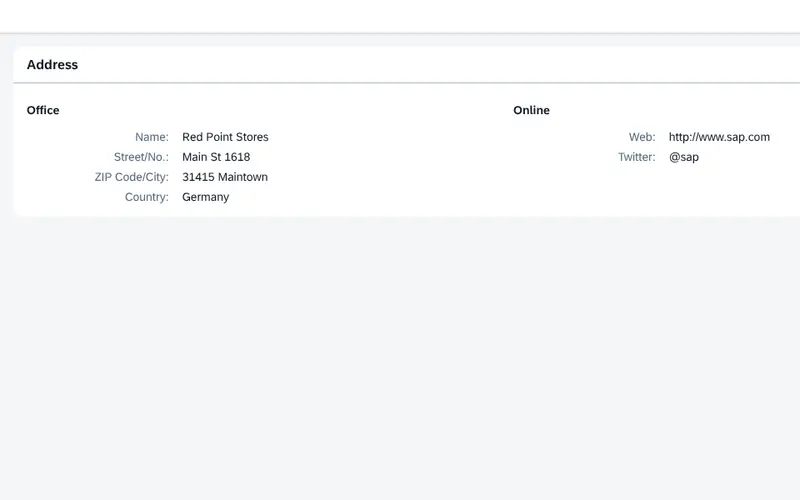
Paper & Excel replaced
Forms, checklists and spreadsheets that live outside SAP become apps that write straight into it.
See the example app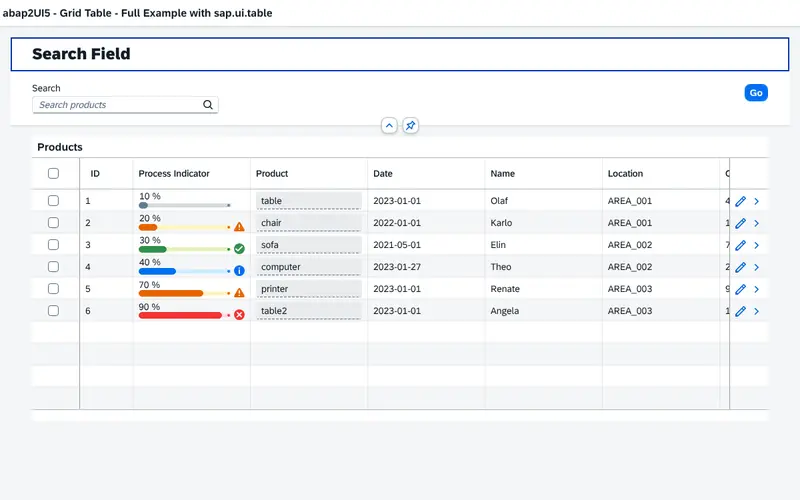
SAP GUI modernized
Reports, ALV lists and transactions turn into browser apps one at a time, with the logic behind them unchanged.
See the example app
Mobile, without an app store
Every app runs on iOS and Android in the browser or the mobile shell - nothing to install, nothing to distribute.
See the example app→ Browse the sample catalog for the screen closest to yours, or read In a Nutshell for how it works.
Compared with the market
Better than every other way to build UI5 apps on SAP - the commercial ones included
SAP's own routes, and the UI5 app platforms and low-code builders sold on top of SAP, side by side.
| abap2UI5 | RAP + Fiori Elements | Freestyle UI5 + OData | Commercial UI5 & low-code platforms | |
|---|---|---|---|---|
| License cost | None. MIT, for any number of users, systems and apps | Part of the SAP license | Part of the SAP license | Subscription or per-user fees, renewed every year |
| Who builds the apps | The ABAP team you already have | ABAP plus CDS, RAP and annotation specialists | JavaScript / UI5 developers | Developers trained on the vendor's tool |
| First screen | Minutes | Days: model, service, project, deployment | Days to weeks | After the platform is installed and licensed |
| Freedom of the UI | Every UI5 control, any layout | SAP's floorplans and their extension points | Every UI5 control | What the vendor's designer offers |
| Older SAP releases | NetWeaver 7.02 up to ABAP Cloud, one source | 7.5x and later | Yes, with OData effort per release | Depends on the vendor's add-on |
| Extra infrastructure | None - one endpoint on your SAP system | Fiori frontend server and deployment | Frontend deployment (BSP, BTP or web server) | The vendor's add-on, server or cloud tenant |
| Lock-in | None - apps are plain ABAP classes in your system | SAP's programming model | Low | Apps live in the vendor's runtime and repository |
| Source code | Open, every line, on GitHub | Closed | UI5 open, your app yours | Closed |
| Built with AI | One class an AI writes whole - AI Studio, Claude Code and Copilot plugins, free | Many artifacts for an AI to generate and keep in sync | Two codebases, frontend and service | The vendor's own AI, at the vendor's price |
Why teams choose abap2UI5
- The team is ABAP.No JavaScript, no UI5 tooling, no Business Application Studio to set up. An app is one class, written, debugged, transported and unit-tested like every other class.
- The system is older than RAP.NetWeaver 7.02 to 7.4x have no RAP and a Fiori stack that is expensive to add. abap2UI5 runs there from the same source it runs on ABAP Cloud, so an app written on 7.31 today moves to S/4HANA unchanged.
- The screen is yours, not SAP's.Tools, cockpits, monitors, admin consoles, anything that used to be a report or a module pool. The moment a screen is a dashboard with a chart and a custom form, a Fiori Elements template becomes the thing you fight.
- You do not want a deployment pipeline.No BSP upload, no approuter, no MTA. The ABAP system serves the frontend; an abapGit pull is the installation.
- You replace SAP GUI screens one at a time.Selection screens, lists and transactions become browser apps without rewriting the logic behind them.
Nothing to throw away
- Your Fiori apps stay.abap2UI5 apps appear as tiles in the same launchpad, with navigation between them.
- Your ABAP logic stays.A report, a BAPI, a function module: an app calls it as it is.
- Your rules stay.Transports, code review, ATC and authorizations apply unchanged.
- Your exit stays open.No contract, no runtime fee - the apps are yours whatever you decide later.
→ On-Stack or Side-by-Side and One App, Many Systems are the deployment scenarios in detail.
AI
The UI5 framework made for AI
An AI assistant is only as good as what it has to produce. With abap2UI5 that is one ABAP class - the simplest target there is for an AI, and the easiest result for your team to check. Your developers describe the screen; the AI writes it; your rules review and transport it like any other code.
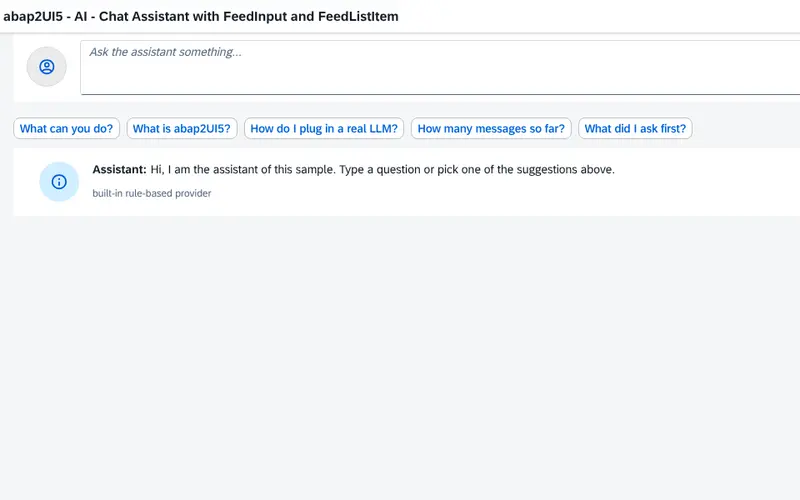
Example: a chat assistant inside an abap2UI5 app - one class, with a built-in rule-based answerer that one method turns into a real AI call.
One app, one file
An AI writes the whole app - one ABAP class. No OData service, no frontend project, no deployment to generate and keep in sync.
From a sentence to an app
The AI Studio builds an app from a description, right in the browser: written, run and fixed against the real framework, ready for abapGit. Nothing to install.
In the tools your team uses
Plugins for Claude Code and GitHub Copilot, skills for any agent and an MCP server that validates, runs and screenshots apps - without an SAP system.
Learns from 700+ samples
Hundreds of working apps and documentation written for AI make the result right the first time, not the third.
Checked before anyone looks
The abap2UI5 linter tests every class the AI writes, and the AI fixes what it broke before a developer reviews it.
AI inside your apps, too
A chat or a summarize-this-data panel in an existing app, with a local model first or the provider of your choice.
No AI lock-in either. Use Claude, ChatGPT, Copilot or a local model - with your own key, at your own price. Commercial platforms sell their AI as an add-on to their license; abap2UI5's costs nothing.
→ Try the AI Studio, or read Developing with AI.
What you keep
An abap2UI5 app is ABAP code, and governs itself like it
The decision everything else follows from: one ABAP class per app, no generated artifacts, no tables that describe a screen.
| abap2UI5 | A tool that stores apps as configuration | |
|---|---|---|
| What an app is | An ABAP class | Entries in the tool's tables, read by its runtime |
| Where a change is made | In the development system, in ADT or SE80 | Wherever the tool's designer is open, possibly production |
| How a change travels | A transport, like any class | The tool's own export, or a customizing transport |
| How a change is reviewed | As a code diff: in abapGit, a pull request or the transport | In the tool's designer, if it shows a history at all |
| What a debugger shows | Your code | The tool's runtime interpreting your configuration |
| What happens if the tool goes away | The classes stay; they are plain ABAP in your system | The apps go with it |
So abap2UI5 needs no rule of its own. Every rule that already applies to ABAP — naming conventions, code review, ATC, the four-eyes principle on transports — applies to an app without any change. A system closed for repository changes is closed for abap2UI5 apps.
Authentication is SAP's
No user store, no token, no session concept of its own. A request that reaches an app has passed SAP logon.
Authorization is two gates
The authorization object on the ICF node, as for any service, and the app's own authority checks in its code, the same way a transaction or a report does them. The framework adds no central check on purpose.
Data changes are your code's
An app posts a document by calling the same BAPIs, function modules or RAP actions any other ABAP program calls, so change documents, application logs and the authority checks behind them apply unchanged.
Every roundtrip can be logged
A monitor interface receives, for each request, the user, the app, the event, the timings and any error. It is off until an installation switches it on.
Clean core
abap2UI5 uses released APIs only, passes the ABAP Cloud checks and runs in ABAP Cloud, on S/4HANA and on BTP, from the same source that runs on NetWeaver 7.02. It modifies nothing in the SAP standard.
No shadow IT. There is no click-together designer that bypasses your development process: every app stays one kind of thing, a class, governed by the rules you already have.
→ More on Security and Authorization, and the security model a security review starts from: what the framework guarantees, and which test holds the code to each guarantee.
No strings attached
Nothing to buy, nothing to renew, nothing between you and your code
What a commercial platform cannot offer, and what stays true after the decision.
- No license, now or laterMIT. No license key, no subscription, no fee per user, per app or per system - and nothing to renew.
- Nothing to sign up forThe playground runs in the browser with no account. The framework is an abapGit pull; there is no trial period and no demo to book.
- No runtime in betweenAn app is a class and runs as ABAP. The framework itself is ABAP source in your system, readable to the last line.
- No extra platformNo BTP subscription, no middleware, no server of its own. One ICF node on the system you already run.
- The tools you already useADT, SE80, abapGit, ATC, abaplint, ABAP Unit, the debugger and your AI assistant work on an app as on any other class.
- Every UI5 controlAny control of the UI5 release your system runs, 1:1 from ABAP - the whole library, not a selection.
- Free to leaveThe apps stay ordinary classes. A build renamed into your own namespace is one workflow run, and the source is yours to fork.
- Built in the openEvery issue, every release, the backlog and every test that holds the code are public on GitHub.
Where it runs
One HTTP endpoint, and nothing else listens
App code never leaves the system; the browser receives the view and the data the app chose to bind. No middleware, no extra server, no BTP subscription, no frontend deployment.
Browser
- Generic UI5 shellloaded once, the same for every app; no app code of its own
SAP system — the only server
- ICF node → abap2UI5 handler → your app class
- SAP logon, authorization objects, sy-uname
- App state in one table, per user
- Systems
- S/4HANA Public Cloud
- BTP ABAP Environment
- S/4HANA Private Cloud & on-premise
- NetWeaver 7.02 or later
- UI5
- The frontend is UI5 itself, 1.71 to 2.x. By default it loads from the public CDN; a productive installation points it at the UI5 the system already ships, which is what a system without internet access uses.
- Where an app appears
- Browser tab
- Fiori launchpad tile
- SAP Build Work Zone
- Microsoft Teams
- Microsoft Excel
- iOS & Android
- Inside your own UI5 app
What Basis does — all of it
- Pull the package with abapGit
- Create the ICF node and put an authorization object on it
- Change the four production defaults in the user exit: UI5 source, error details, the Content Security Policy, the node authorization
- Optionally switch on the monitor
No job to schedule and no schema to migrate on upgrade.
→ More on Productive Usage, UI5 Versions, Performance and Integration.
What it costs
No license fee, now or later — while commercial platforms charge every year
- MIT licensed, commercial use included
- No license key, no subscription
- No per-user, per-system or per-app fee
- Runs on the ABAP stack and the UI5 version you already have
The apps built with it are standard UI5 freestyle apps, licensed the way your organization licenses every other UI5 app.
Commercial SAP app platforms charge per named user or per device, every month, often with minimum terms and setup fees - and the bill grows with every user who adopts the apps. With abap2UI5 adoption costs nothing.
What is not free is the work: an ABAP developer's time to write the screen, and the evenings of the volunteers who maintain the framework. Support is the community's, on GitHub issues and Slack, on a best-effort basis; there is no vendor SLA to buy from the project. Companies and freelancers offer paid implementation, training and support agreements around it.
Work it out for your landscape
Set the sliders to your landscape, tick your systems and your support, pick a currency, press Calculate.
The formula is short: every line is zero, and a sum of zeros is zero - no matter what you set. abap2UI5 is MIT licensed, commercial use included, and what you build with it is a standard UI5 app served by the ABAP stack you already run.
Free to use is not the same as free to make
Those zeros were written in somebody's evenings - the release you will pull next month, the answer under your issue, the 7.02 downport nobody asked for. That part of the bill is real; it is just not addressed to you. And it is payable in a currency you already have:
- Star the repository. One click on GitHub, and the next visitor sees a project rather than an experiment.
- Answer somebody. One reply under an issue or in Slack saves somebody else an afternoon of searching.
- Report what broke. An issue with a class that reproduces the bug is half of the fix already.
- Post about it. A short post that mentions the page and carries #abap2UI5 is how the word gets around.
- Add your company. One row under Who runs it is what answers is anybody actually running this?
- Sponsor the work. The contributors, and the open-source projects it stands on - the smallest amount is a real one.
FAQ
What decision makers ask, answered
It is an open-source project. What if the maintainers stop?
The installed version keeps running, the source is in your system in full, readable and changeable, and the apps stay ordinary ABAP classes. Nothing is called at runtime that is not in your system, apart from the UI5 library, which you can host yourself. A build renamed into your own namespace is one workflow run (Namespaces, Renaming).
Is this another UI5 wrapper that will not survive the next UI5 release?
The frontend is UI5 itself, not a copy of it, and every merge is run in the browser on the oldest supported release and on UI5 2.x. Releases are tagged and listed (Release Notes); what is on its way out is announced and tracked until removal (Deprecations), and the public API apps use is held by a snapshot, so a change to it fails the framework's own pull request.
Every click is a roundtrip. Is that fast enough?
A roundtrip is one HTTP POST carrying only what changed, served by the ABAP stack that already serves everything else. For the screens this page is about, worklists, forms, cockpits, it is the same round trip a SAP GUI screen makes, in a browser. What it is not built for is a real-time collaborative editor or an app that holds its state offline (Performance).
Our clean-core guideline names RAP. Where does this leave us?
Side by side. abap2UI5 passes the ABAP Cloud checks and modifies nothing in the standard, so it is clean core in the technical sense, but it is not SAP's programming model. The usual outcome is a scope: standard transactional screens in RAP, the tools around them in abap2UI5, both in one launchpad.
Why should we trust it over a product we pay for?
Because you can check everything a vendor asks you to believe. The source is open, every test is public, and an app is a class in your own system that keeps running whatever happens to the project. A paid platform sells you a runtime you cannot read and a contract you have to renew; abap2UI5 hands you the code.
Who is accountable when something breaks?
Your developer, for the app, the same as for any class in the system; the community, for the framework, on a best-effort basis; a commercial partner, if you sign one. Security reports are acknowledged within three business days (Security).
Is anybody actually running this in production?
Yes, see below. And every release is tested against Standard ABAP and ABAP Cloud, downported and linted against NetWeaver 7.02, and run in the browser on the oldest and the newest supported UI5 release (verified on).
Who runs it
In production, on desktop and on the warehouse floor
Companies run abap2UI5 apps for EWM and PP on desktop and mobile devices, consultancies offer workshops and certifications for it, and it has been featured in SAP Developer News and at SAP TechEd.
- EmineoABAP 7.57Apps for EWM and PP, running on desktop and mobile devices
- Swiss KronoABAP 7.55Apps for EWM, running on mobile devices
- Nuve PlatformIntegrationOn-demand SAP systems with automated abap2UI5 setups
- Logali GroupTrainingWebinars and certifications for abap2UI5
Talks, articles and videos
- Field Service Management Mobile Logging using abap2UI5Decabase Blog
- UI5 in ABAP Cloud (without RAP or Fiori Elements)Decabase Blog
- Fiori-type Apps built 100% with ABAPLogali Group
- Webinar on Launchpad IntegrationYouTube
- Featured on SAP Developer NewsYouTube
- Automated Deployment of abap2UI5Nuve Platform
- Webinar on creating UI5 interfaces from ABAP using abap2UI5YouTube
- Highlighted in the Boring Enterprise NerdletterYouTube
- Webinar on developing UI5 apps with abap2UI5YouTube
- Featured on SAP Developer NewsYouTube
- Cust&Code Videos featuring abap2UI5YouTube
- Running abap2UI5 Backend in BrowserLinkedIn
- Highlighted in the Boring Enterprise NerdcastYouTube
- Featured on SAP Developer NewsYouTube
- Join the Advent of Code 2023 with abap2UI5SAP Community
- Showcased at SAP TechEd 2023YouTube
- Part of the SAP Developer Code ChallengeSAP Community
- Highlighted in the Boring Enterprise NerdletterYouTube
- Featured on SAP Developer NewsYouTube
- See abap2UI5 on ABAP Open Source Projectsdotabap.org
→ Running abap2UI5, or written about it? Add your row, or write to contact@abap2UI5.org.
Add-ons
The framework stays small; the building blocks are ready
Add-ons in the open, each installed with abapGit like the framework and versioned on its own. A selection:
selection-screenSelection screens and variantstable-maintenanceTable maintenance in your browserlayout-managementCustomizable table and form layouts with persistent variantspopupsValue help, search help, transport selectionadmin-cockpitUsage, performance, errors and a security traffic light for an installationlaunchpad-kpiKPIs of abap2UI5 apps on the Fiori launchpadabap-cloud-guiApps written like a classic report - selection screen, WRITE list, ALV - on ABAP Cloud and down to 7.02http-connector · rfc-connectorCall abap2UI5 apps remotely over HTTP or RFC
→ All of them in Add-ons and in the abap2UI5-addons organization.
Get started
Your first real app in a week
No pilot budget, no vendor workshop: take one real screen and build it with your own team.
- Pick one real screenOne your team has to build this quarter — not a demo.
- Build it in a development systemWith the people who will maintain it, in ADT or SE80.
- Review it like any ABAPRead the class, transport it, run ATC on it, check the authorizations it asks for.
- MeasureThe time until a user can click it, and the tools and systems it needed - none beyond your SAP system.
- Compare and decideHold the result against any alternative or vendor quote - then decide from the screen, not from the slide.
Where to start